Remote Access Dangers
Understanding the Risks of Remote Access Applications
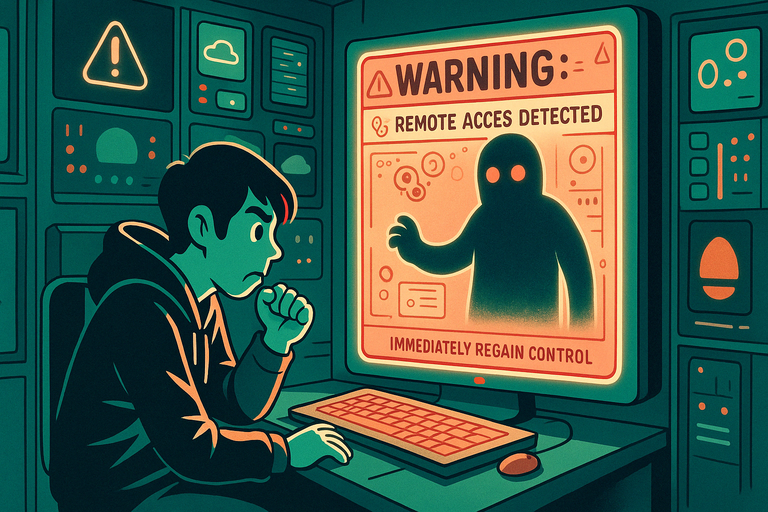
A remote access scam talks you into installing software like AnyDesk, TeamViewer, or Quick Assist so a "support agent" can take control of your computer to fix a problem. Once they're in, they can move money out of your bank account, install malware, look through your files, or take screenshots they'll later use against you.
The pitch usually starts with a cold call, a pop-up warning, or a fake message from your bank, Microsoft, or your broadband provider claiming there's a virus, a refund waiting, or suspicious activity on your account. Real companies don't ask you to install remote-access software, and giving someone control of your screen is the same as handing them your wallet, your inbox, and your passwords.
How Scammers Exploit Remote Access:
- Impersonation of Legitimate Companies: Scammers may pose as tech support representatives from reputable companies, claiming your computer is infected or malfunctioning.
- Installation of Malicious Software: Once access is granted, scammers can install spyware, ransomware, or other malicious programs on your device.
- Financial Fraud: Scammers can view or modify sensitive data such as banking details, leading to financial loss.
- Blackmail: Fraudsters may use screenshots, personal files, or device control to extort money or information from victims.
Signs of a Remote Access Scam:
- Unsolicited Contact: Be wary of calls or emails from individuals claiming to be tech support without you initiating the request.
- Urgent Requests: Scammers often create a sense of urgency, claiming immediate action is needed to avoid serious problems.
- Requests for Remote Access: Legitimate companies rarely request remote access unless you initiate the service.
- Demands for Payment: Be cautious of payment demands, especially through unconventional methods like gift cards or wire transfers.
How to Protect Yourself:
- Verify the Caller: If someone claims to be from tech support, hang up and contact the company directly using official contact information.
- Use Trusted Software: Only use remote access tools from reputable providers, and ensure their settings restrict unauthorised access.
- Monitor Activity: If you grant remote access, watch the actions being performed and terminate the session if anything suspicious occurs.
- Secure Your Devices: Keep your operating system and security software updated to reduce vulnerabilities.
- Report Scams: If you suspect a remote access scam, report it to authorities and the software provider involved.
While remote access tools can be helpful, their misuse poses significant risks. By staying informed and cautious, you can prevent scammers from exploiting these tools and protect your devices and data.
Still worried about online scams?
If something doesn’t feel right, you don’t have to deal with it alone. Get instant guidance from ScamAvert AI, or try the free Open Beta app for ongoing protection.
No credit card required
Want to learn how to spot this kind of scam?
CyberSafe Coach provides free, short lessons that teach you how to check before you act — the habit that protects you against this scam and every other kind.
CyberSafe Coach is an independent partner service. The link will open in a new tab.