Ransom Threat
Understanding and Addressing Ransom Threat Scams
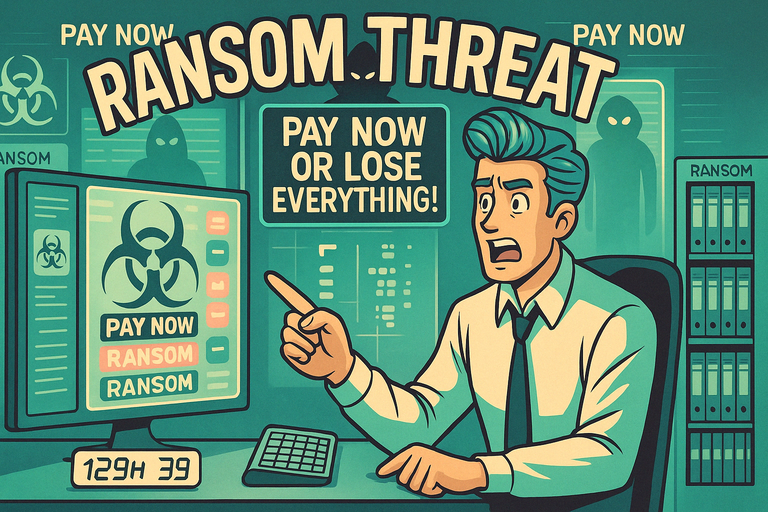
A ransom threat tells you your files, your account, or your device have been locked, and you'll only get them back if you pay. The most common version is ransomware: malware that encrypts everything on your computer and shows a screen demanding payment in cryptocurrency to release it.
The infection usually comes from a malicious email attachment, a dodgy download, or a compromised website. Paying rarely helps — many victims never get a working key, and those who do often get hit again. Backups, updated software, and not paying are the real defence.
Things to Be Careful About:
- Unverified Claims: Scammers often exaggerate their access to your devices or data.
- Demands for Cryptocurrency Payments: Fraudsters prefer untraceable payment methods to avoid detection.
- Urgency and Pressure: Scammers set short deadlines to force quick decisions.
- Generic Messages: Threats often lack specific details or credible evidence of their claims.
- Fake Technical References: Scammers may use technical jargon to appear legitimate.
Actions You Can Take:
- Do Not Pay: Paying a ransom encourages further extortion and rarely resolves the issue.
- Secure Your Devices: Update your antivirus software and perform a system scan to ensure your devices are secure.
- Report the Threat: Notify local law enforcement or cybercrime agencies about the ransom attempt.
- Change Passwords: Update passwords for all accounts, especially if the scam mentions them.
- Consult Professionals: Seek advice from cybersecurity experts to mitigate any risks.
Ransom threats prey on fear and uncertainty. By staying calm, taking proactive security measures, and refusing to engage with scammers, you can protect yourself and limit the impact of these malicious attempts.
Still worried about online scams?
If something doesn’t feel right, you don’t have to deal with it alone. Get instant guidance from ScamAvert AI, or try the free Open Beta app for ongoing protection.
No credit card required
Has this already happened to you?
If you have already replied, paid, clicked a link or given someone access, CyberSafe Coach has free step-by-step guidance on what to do right now.
CyberSafe Coach is an independent partner service. The link will open in a new tab.